

Last Updated: October 29, 2026
Quick Summary
A cycle app estimates ovulation by using the dates of your past periods and the length of your cycles to predict a fertile window and a likely ovulation day. For more accuracy, log daily symptoms and add temperature or test readings. Treat the app’s prediction as a starting point, not a confirmed fact.
- Enter your last period date, typical cycle length, and period length during setup.
- Log at least two full cycles before relying heavily on predictions.
- Record symptoms, basal temperature, and LH or PdG test results each day.
- A calendar-only prediction can be far off when cycles vary.
- Combine app predictions with test or temperature data to confirm ovulation.
Table of Contents
- How Cycle Apps Estimate Ovulation
- Setting Up Your Ovulation Tracker App
- Logging Daily: Symptoms, Temperature, and Test Results
- How Accurate Is Period App Ovulation Accuracy?
- Confirming Ovulation and Handling Irregular Cycles
- Protecting Your Data and Knowing When to Ask a Clinician
- Start Your Next Cycle With a Clear Plan
- Frequently Asked Questions
How Cycle Apps Estimate Ovulation
A cycle app estimates your ovulation by looking at the dates of your past periods and the length of your cycles.
Some apps add more inputs. They may ask you to log symptoms such as cervical mucus, breast tenderness, or mood changes.
Here is what most apps use:
- Period start and end dates: the foundation of every prediction
- Cycle length: how many days pass between one period and the next
- Past cycle patterns: averages and ranges from your previous months
Watch out: A calendar-only prediction can be far off if your cycles vary. Treat the app’s estimate as a starting point, not a fact.
Setting Up Your Ovulation Tracker App
Setup takes about 10 minutes, and the details you enter now shape every prediction later. Start by downloading a cycle app that supports ovulation tracking, then create a profile with accurate information.
Enter these details first:
- Date of your last period: use the first day of bleeding
- Typical cycle length: count from the first day of one period to the first day of the next
- Period length: how many days your bleeding usually lasts
- Goal: choose tracking only, avoiding pregnancy, or trying to conceive
If you use a test kit or thermometer, link it to the app now. Some apps accept results directly from compatible test kits or thermometers.
Our tip: Log at least two full cycles before you rely heavily on the predictions. The app needs a few months of data to learn your pattern.
Logging Daily: Symptoms, Temperature, and Test Results
Daily logging is what turns a basic calendar into a useful tracker. Pick one time each day to record your data, such as when you wake up or before bed.
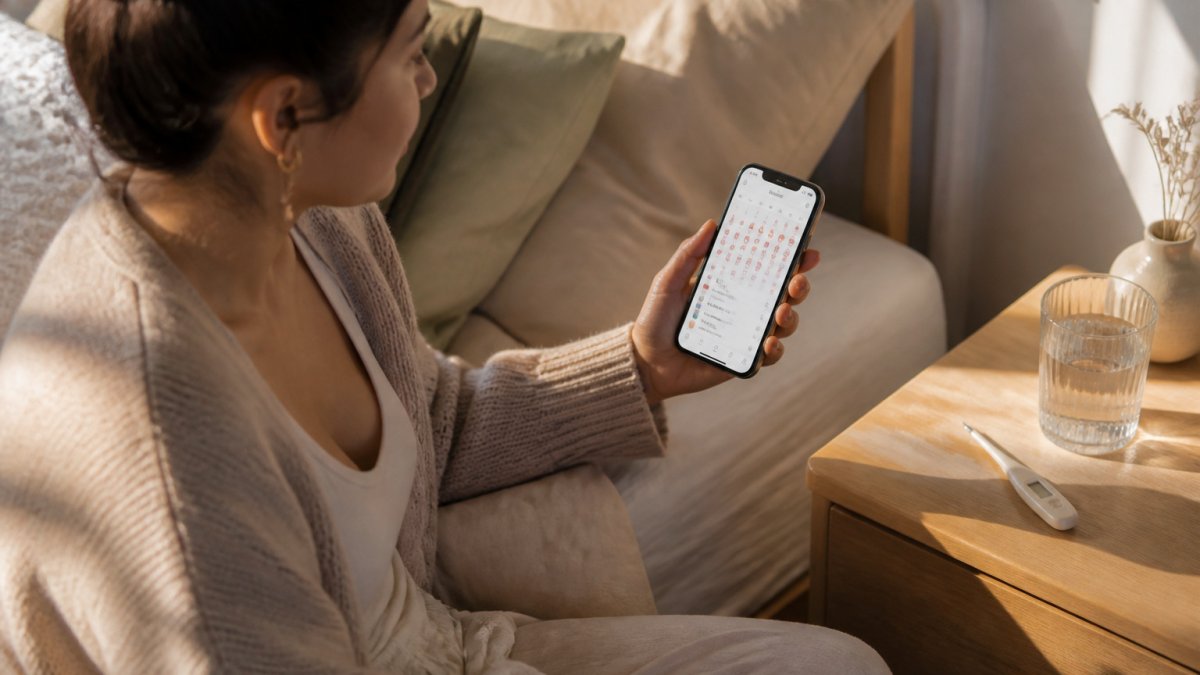
!A person in a bright bedroom holding a smartphone with a cycle tracking app open beside a basal thermometer on a nightstand
Record three types of data:
- Symptoms: what you notice in your body and mood
- Temperature: your morning basal reading, if you track it
- Test results: the strength of your luteinizing hormone (LH) or PdG result
Add a short note when something unusual happens, such as illness, travel, poor sleep, or a change in medication.
Ovulation Symptoms to Track
Some people notice physical signs around the time of ovulation. Persistent discomfort or unusual sensations during these windows may warrant further investigation, and using symptom trackers can help organize these observations for productive discussions with your healthcare provider.
Common signs to record include:
- Cervical mucus: clear, stretchy, egg-white texture near the fertile window
- Mild pelvic or lower abdominal discomfort: sometimes called mittelschmerz
- Breast tenderness or fullness
These signs are useful clues, not confirmation. Symptoms can overlap with other causes, so pair them with test or temperature data when possible.
Using Basal Body Temperature Ovulation Tracking
Basal body temperature (BBT) tracking measures your resting temperature each morning, before you get out of bed or do anything active.
To track BBT well:
- Take your temperature at the same time every morning
- Use a basal thermometer, which reads to a tenth or hundredth of a degree
- Record the reading in your app before you start your day
- Note any disruptions, such as alcohol, late nights, or illness
Look for a sustained rise over several days rather than one high reading. Many people see the shift after ovulation has occurred.
Each type of daily data plays a different role in confirming or predicting ovulation, as summarized below.
| Data type | What it shows | Timing |
|---|---|---|
| Symptoms | Body and mood signs you notice | Log each day |
| Basal temperature | Sustained rise after ovulation | Each morning, before getting up |
| LH or PdG test | LH surge before ovulation; PdG after | LH tests near mid-cycle; PdG several days after |
How Accurate Is Period App Ovulation Accuracy?
Period app ovulation accuracy varies, and the biggest variable is your cycle pattern. A calendar-based estimate is essentially a math problem: the app counts backward from your next expected period and places ovulation roughly 12 to 16 days before it. That math holds up best when your cycles are regular. When they are not, the same math can miss by a week or more.
Here is how accuracy tends to break down by pattern and health context:
- Regular cycles (roughly 21 to 35 days, consistent month to month): calendar estimates are most reliable here, though even regular cycles can shift by a few days from month to month.
- Irregular cycles: predictions can move significantly each cycle. The app is essentially averaging inconsistent data, so treat the fertile window as a wider range rather than a fixed set of days.
- Postpartum and breastfeeding: ovulation can return before your first postpartum period, and cycles may be absent or unpredictable for months. App predictions are least reliable in this phase.
Why Predictions Change as You Log
Fertile-window estimates are probabilistic, not fixed. Each new data point, a period start date, a positive ovulation test, a temperature shift, can nudge the app’s model and shift the predicted window. This is normal and is a feature, not a bug: the app is updating its guess as it learns more about your cycle.
A predicted ovulation date is not confirmation that ovulation occurred. If you are avoiding pregnancy, do not rely on an app’s fertile-window estimate alone. If you are trying to conceive and your cycles are irregular, pair app predictions with a method that can confirm ovulation, such as ovulation test kits or basal body temperature tracking.
Several factors affect accuracy beyond cycle pattern:
- Data quality: consistent logging produces better estimates than sporadic entries.
- Health context: stress, illness, travel, and sleep disruption can delay ovulation in any given cycle.
- Method used: calendar-only predictions are the least precise; predictions that incorporate test results or temperature readings can be more responsive.
Use your app as a planning tool. It can show likely fertile days, but it cannot promise an exact ovulation date.
Confirming Ovulation and Handling Irregular Cycles
A prediction and a confirmation are not the same thing. Confirming ovulation means looking for evidence that it has already happened, not just estimating when it might. No single at-home method confirms ovulation perfectly, but combining methods gives you a clearer picture than any one tool.
Here is what each method can and cannot tell you:
- Ovulation predictor kits (LH tests): detect the luteinizing hormone surge that typically precedes ovulation by about 24 to 36 hours. A positive test tells you ovulation is likely coming, not that it happened. Some people have an LH surge without releasing an egg.
- Basal body temperature (BBT): a sustained rise of roughly 0.5 to 1 degree Fahrenheit over several days suggests ovulation has occurred. BBT confirms after the fact, so it is useful for learning your pattern but not for timing intercourse in the current cycle.
- Cervical mucus: clear, stretchy, egg-white mucus typically appears in the days before ovulation. It is a useful clue but is subjective and can be affected by arousal, infection, or medications.
A Worked Example
Suppose your app predicts ovulation on day 14 of a 28-day cycle. Here is how the pieces fit together:
- Days 10-13: you notice increasing clear, stretchy cervical mucus and start LH testing. The app’s fertile window is a guide, not a guarantee.
- Day 13: you get a positive LH test. This suggests ovulation is likely within the next day or two.
- Days 14-16: you log BBT each morning. A sustained rise beginning around day 16 suggests ovulation occurred near day 14 or 15.
- Day 20: a PdG test, if you use one, can add confirmation that ovulation happened.
The app’s predicted day was a starting point. The test and temperature data told the rest of the story.
When Cycles Are Irregular
If your cycles are irregular, expect the app’s predictions to change often. Each new cycle may reset the estimate, and the fertile window may be wider than the app shows. Keep logging anyway, because patterns can emerge over six months or more. If you are trying to conceive with irregular cycles, ovulation test kits are often more informative than calendar predictions alone.
Irregular cycles, very long cycles, or cycles that stop can signal a health concern. Talk with a clinician rather than relying on an app to explain them. Seek care if your cycles are consistently shorter than 21 days or longer than 35 days, if your periods suddenly stop, or if you have severe pain or unusual bleeding.
Protecting Your Data and Knowing When to Ask a Clinician
Cycle data is personal health information, so check how your app handles it before you start. Read the privacy policy and look for controls that let you delete your data, limit sharing, and turn off features you do not want.
Ask these questions about any app:
- Does it sell or share data with third parties?
- Can I export or delete my records?
- Does it require an account, and what information does it collect?
- Can I lock the app with a passcode or biometric login?
Talk with a healthcare professional if you notice any of the following:
- Periods that suddenly stop, become much heavier, or become much less frequent
- Cycles that are consistently shorter than 21 days or longer than 35 days
- Severe pain, unusual bleeding, or symptoms that worry you
- Difficulty conceiving after a year of trying, or six months if you are over 35 (the CDC)
Use your logs to make your appointment more useful. A clinician can review your cycle history and suggest next steps.
Start Your Next Cycle With a Clear Plan
Tracking ovulation with a cycle app works best when you combine prediction, daily logging, and confirmation. Set up your profile with accurate dates, log symptoms and readings each day, and check the app’s estimate against your own data.
Ready to get started? Explore EVE’s ovulation test kits and basal thermometers, including the Clearblue Digital Ovulation Test, to pair with your tracking routine. Visit EVE to find the tools that fit how you plan to track.
Frequently Asked Questions
How do you track ovulation with a cycle app?
Start by entering the first day of your last period and your typical cycle length. Then log daily details such as period flow, cervical mucus, and any ovulation test results or basal body temperature readings. The app uses these entries to estimate your fertile window and most likely ovulation day. Logging consistently for several cycles gives the app more data to work with, so its estimates usually improve over time. Treat the predicted dates as estimates, and check them against physical signs or test results when timing matters.
How accurate are cycle apps at predicting ovulation?
Accuracy varies. Apps that rely only on calendar data estimate ovulation from past cycle lengths, which works best for people with regular cycles. Apps that include ovulation test results or basal body temperature can refine predictions, and some ovulation test kits are designed to predict the most fertile days more directly than calendar or temperature methods. No app can confirm ovulation on its own, so use predictions as a guide rather than a guarantee.
Can irregular periods affect an app’s ovulation predictions?
Yes. When cycle lengths vary from month to month, the app has less reliable data to predict from, so its fertile window estimates may shift or appear less certain. Logging more cycles and adding test results or temperature readings can help. If your cycles are often irregular, or you are concerned about your periods, speak with a qualified healthcare professional for personal guidance.
What is the difference between an ovulation day and a fertile window?
Ovulation day is the single day an egg is released. The fertile window is the period of days, typically several, when pregnancy is possible, because sperm can survive for a few days and the egg is viable for a shorter time after release. Cycle apps usually show both, with the fertile window as a range and ovulation as its estimated peak. Tracking LH tests and symptoms can help you see where your own window falls.